The Gift Guide / Blog / Get Started Tutorial / App Get Started Tutorial
The Gift Guide App
See something you love? Save it to your wish list on The Gift Guide in seconds.
With The Gift Guide, you can add products from your favorite online retailers without leaving your browser. Here’s how to get started.
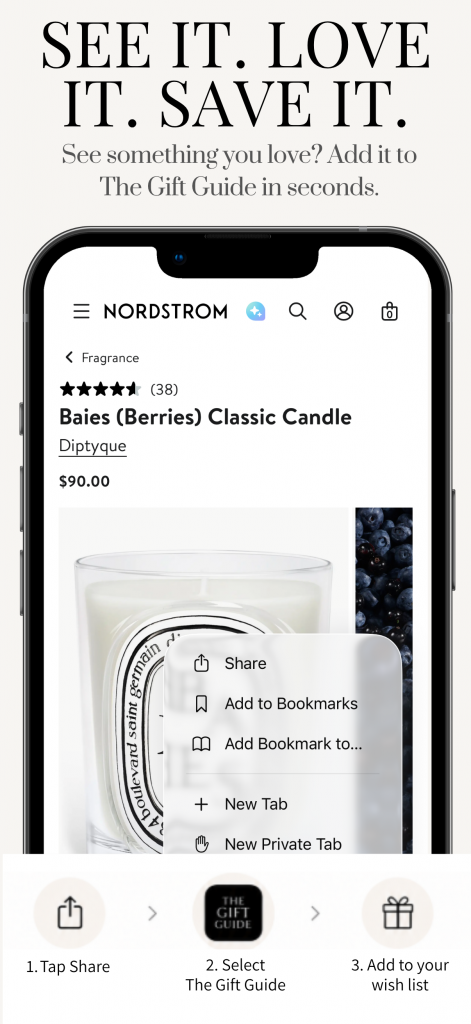
How it works:
1. Find something you love
Shop your favorite retailers in Safari and open the product you want to save.
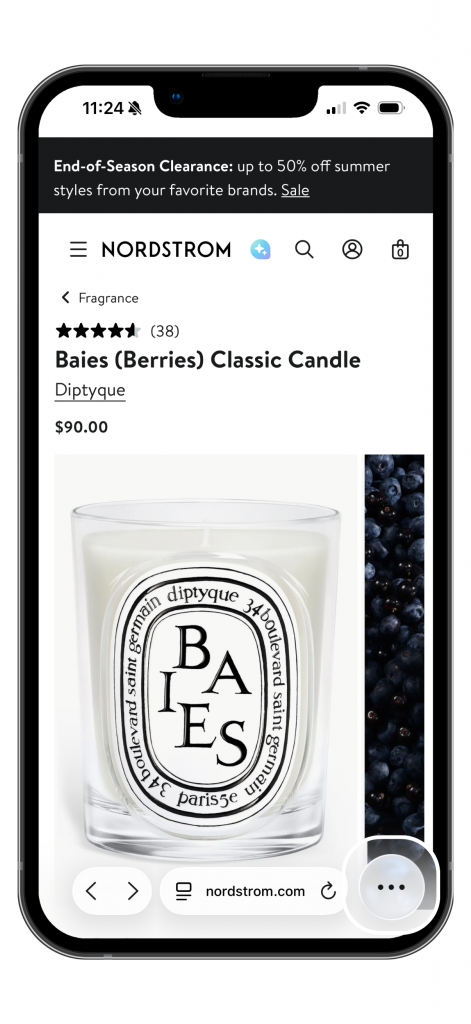
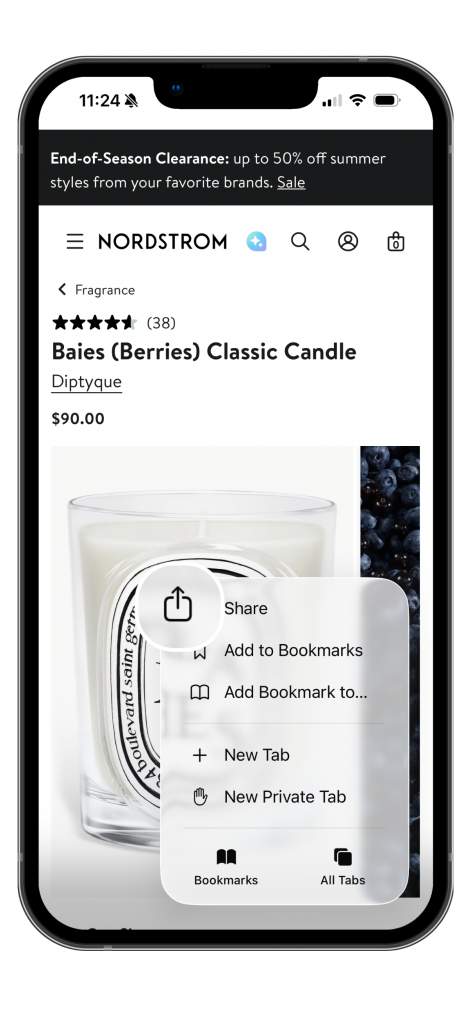
2. Click the share button
Select the share button within your web browser.
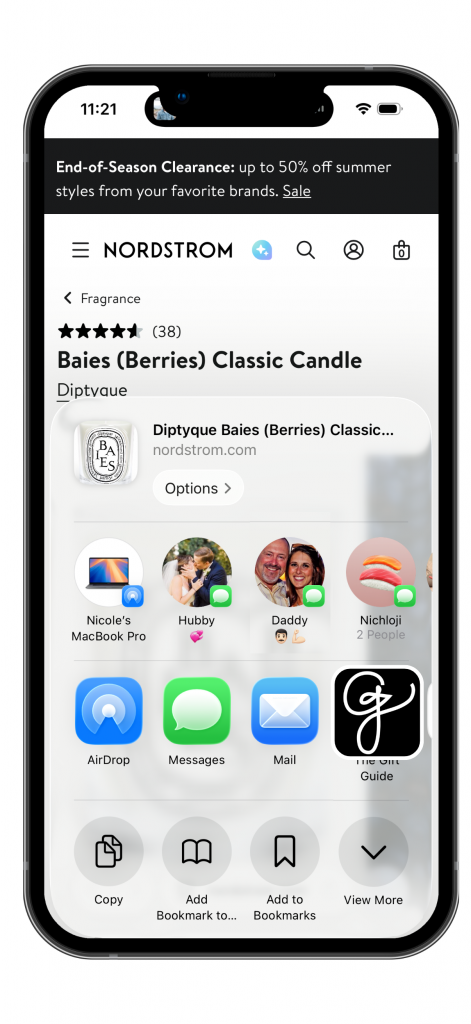
3. Select The Gift Guide App
Click on “The Gift Guide” app.
4. Save Your Item
Update the item title if desired. Click save.
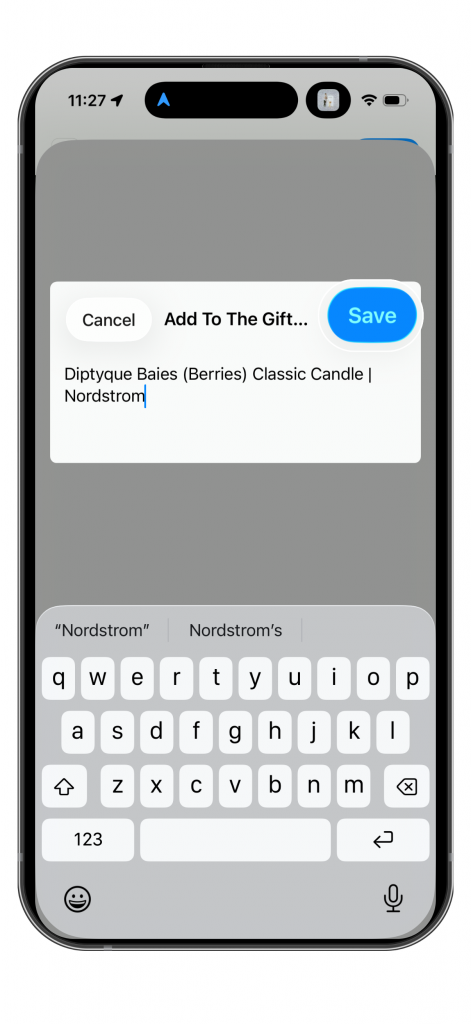
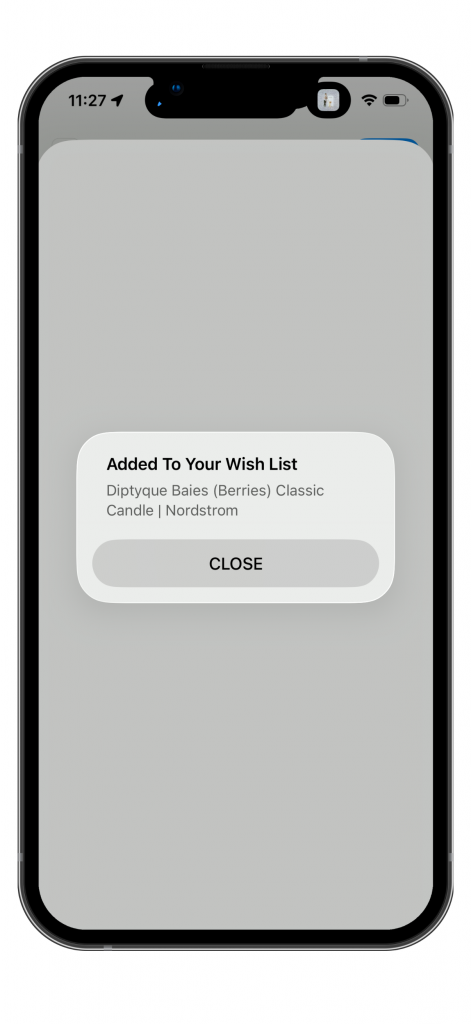
5. Added to Your Wish List
You will see a confirmation once the item has been added to your wish list.
6. Update Your Wish List
You can come back to your wish list and edit the item details at any time such as size, color, quantity, etc.
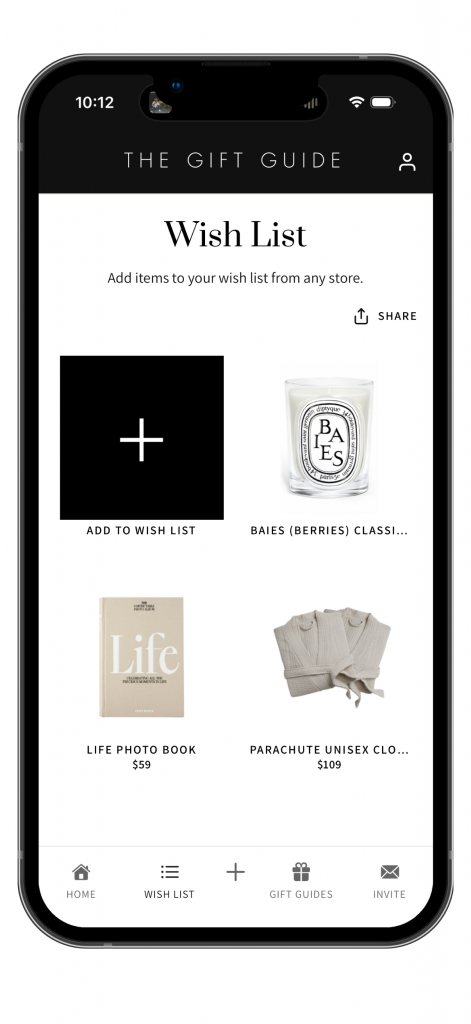
Alternatively, you can search any website within the application to find an item you’d like to add to your wish list.
Need help? View our Get Started Tutorial for step-by-step instructions, see our FAQs or contact us. Have ideas on how can we improve your gifting experience? We would love to hear from you!